 Bonnie Carberry
Portfolio case study · Query.ai
Query FederatedSearch Platform
Designing a 0→1 federated search experience that lets security teams get answers from their data — without moving it.
The short version
Impact at a glance
0→1 Platform Design
Led UX for a federated security search platform from concept through market validation — designing the MVP that grew the company from ~5 design partners to 12+ enterprise accounts and active POCs in under two years.
Strategic Investment from Cisco
Created core product experiences — schema configuration, search results, and onboarding flows — that proved the MVP with referenceable enterprise customers and helped secure a strategic investment from Cisco.
Onboarding Reimagined
Drove design-partner-led UX improvements that cut new data source setup from a multi-step engineering effort to minutes, enabling customers to significantly reduce SIEM ingest and storage costs.
Design Fueling Growth
Delivered demo-ready product design that powered go-to-market momentum, supporting record weekly pipeline generation and consistent new ARR growth toward the company's annual revenue plan.
My role: sole designer across strategy, research, design system, end-to-end workflows, and implementation QA — partnering directly with the CPO, CTO, and founder.
Context
Security teams have the data — just not the answers
- Enterprise SOCs run dozens of tools that don’t talk to each other — every investigation means pivoting across out-of-context browser tabs.
- Each system has its own query language; analysts can’t be experts in all of them.
- Centralizing everything into a SIEM is the traditional fix — but data volumes make ingestion and storage costs explode.
- The cost isn’t just money: slow pivots and lost context mean missed threats.
One federated search
Data stays where it lives
The goal: help security teams make better decisions faster, using their data where it is. Speed to answers.
Project overview
What I owned
- Product design vision and end-to-end workflows for the platform
- UX research — discovery, persona validation, usability testing
- A design system, built in parallel with in-flight branding
- Planning the work with engineering; tracking and QA’ing implementation (no PM or QA at the start)
Constraints
How I navigated them
- 01No direct access to users. I recruited the people closest to being users — internal security experts, then design partners — and built a continuous feedback loop.
- 02Unfamiliar, deep domain. I ramped on OCSF and data schema mapping fast enough to hold my own in architecture conversations.
- 03No PM at kickoff. I partnered directly with the CPO, CTO, and founder to define and sequence scope.
- 04Limited design system or visualizations. I created both while shipping features against a one-year validation clock.
Finding the real problems
I started by auditing the engineer-built version 1
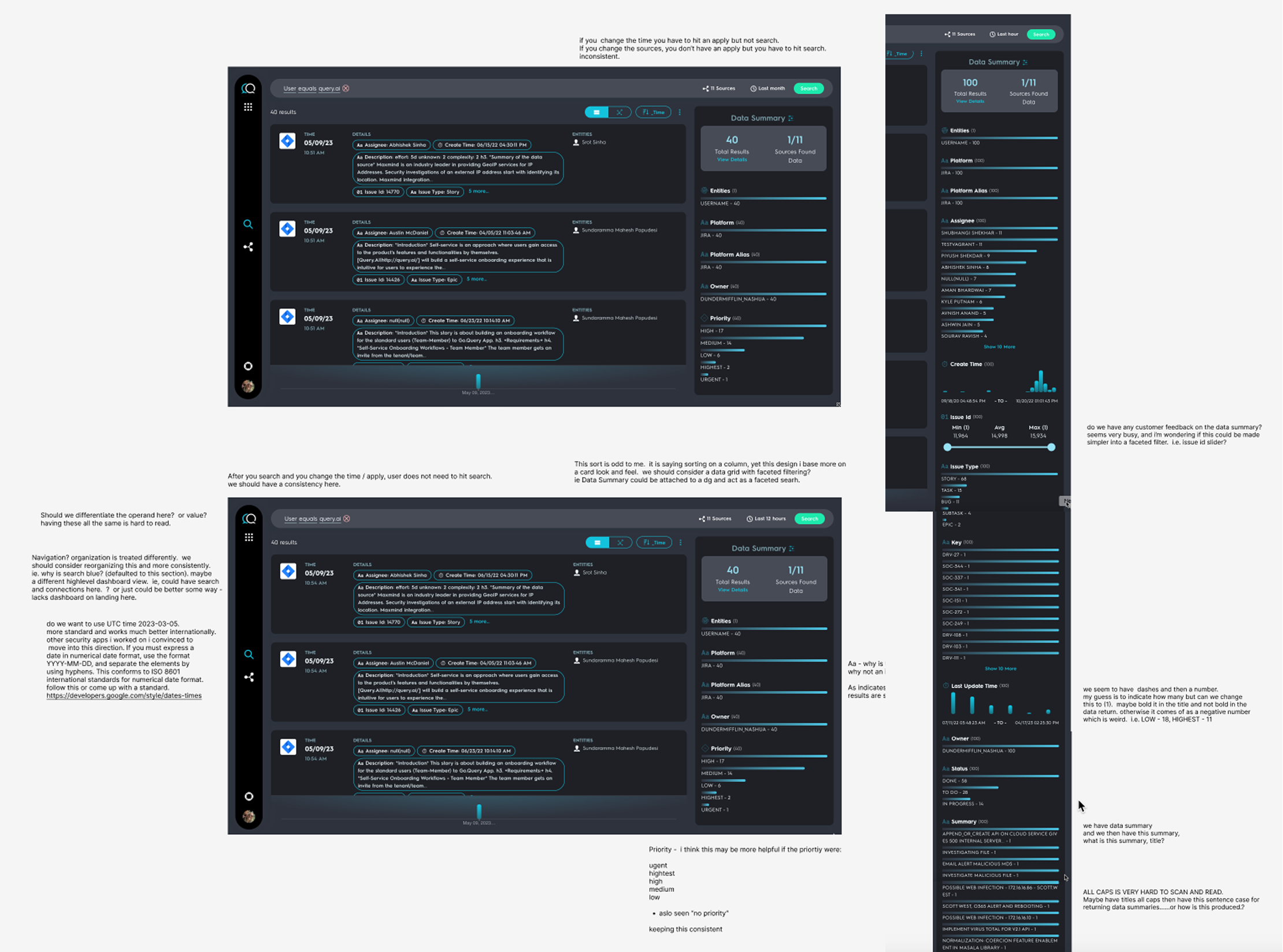
- The first version was built by engineers without design. I reviewed every flow and annotated it, then distilled scattered issues into themes.
- Search was limited to single entities — one field, one operator, one value — and always ran the broadest, deepest query, so results were noisy and expensive.
- Results were hard to consume, filter, and pivot from; visualizations confused more than they helped.
- I validated the themes with the people closest to our users before proposing direction — the audit became our prioritized usability agenda.
Discovery
Learning how analysts actually investigate
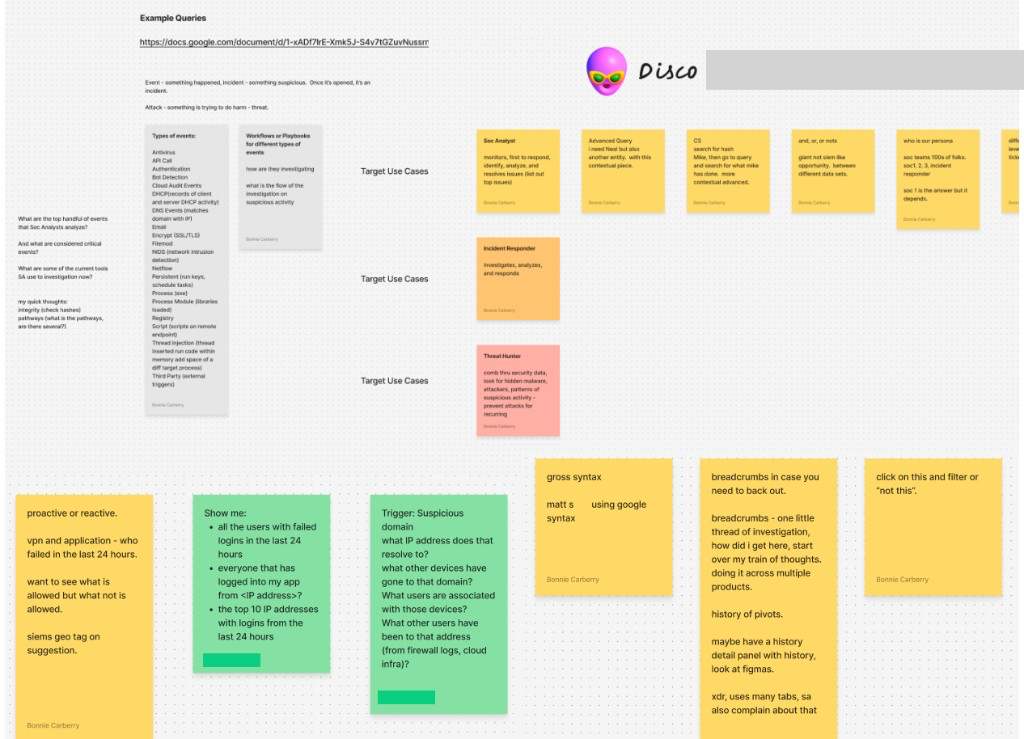
- Mapped search types, security event types, and analyst workflows and playbooks with internal experts and design partners.
- Validated our three core personas — SOC Analyst, Incident Responder, Threat Hunter — and that these roles overlap heavily.
- Nobody wants to learn another query language.
- Broad entity search isn’t enough — investigations are chains of pivots: “who else is impacted? what other IPs got this email?”
- “What should I search?” → “it depends” — the product needed flexible starting points, not one right way in.
Earning a seat in technical decisions
Becoming fluent in the domain — fast
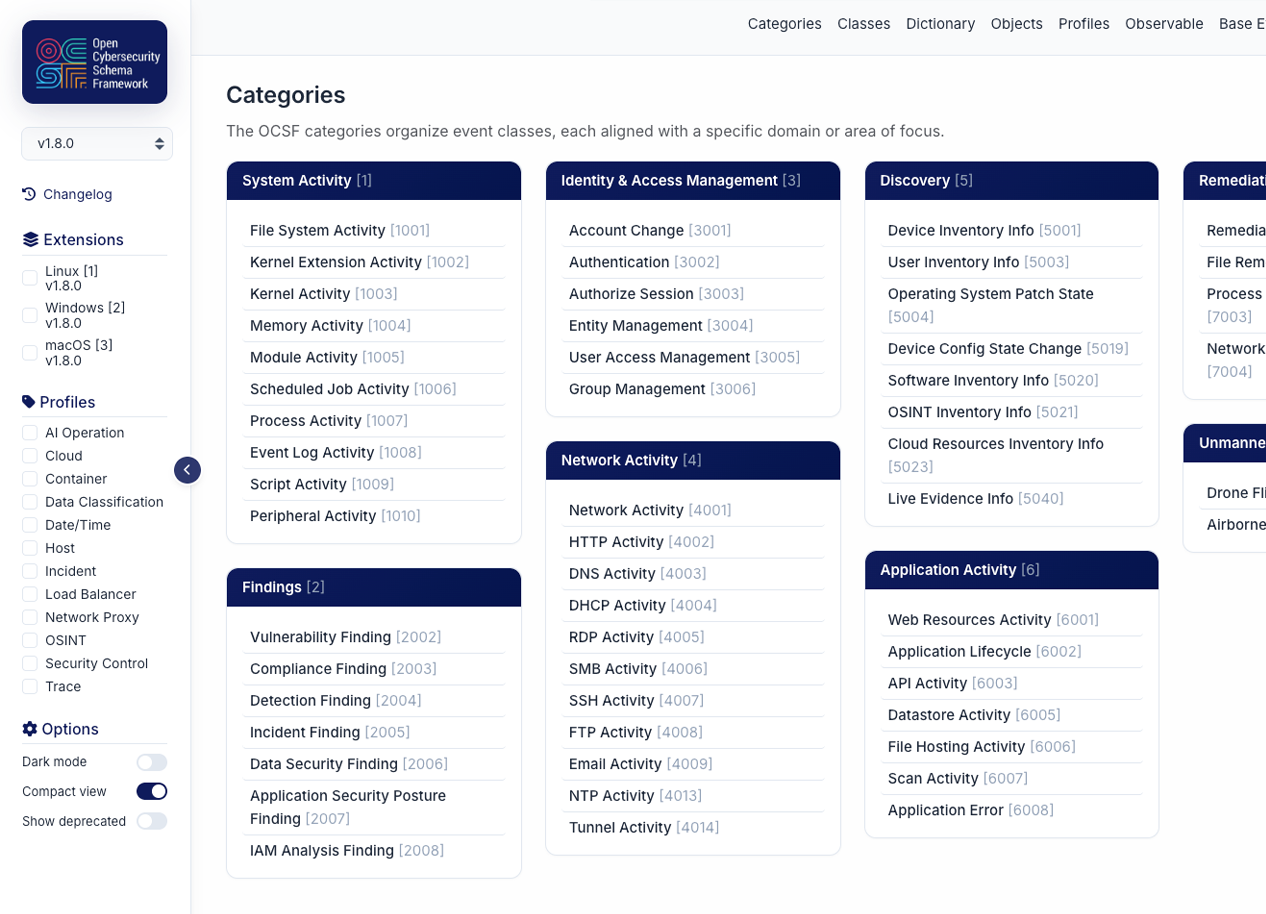
- Learned OCSF (Open Cybersecurity Schema Framework) on the job and helped shape the Query Data Model built on top of it.
- Changed how the team talked: engineers called everything “filters” because that’s how code applies them. I drew the line between search criteria (before results) and filters (after) — a distinction that reshaped both the UI and the API conversations.
- Designed the product to educate users on the data model as they go — most analysts don’t know OCSF either.
Product area 1 · Query Builder/Results
Sketching a search nobody has to learn
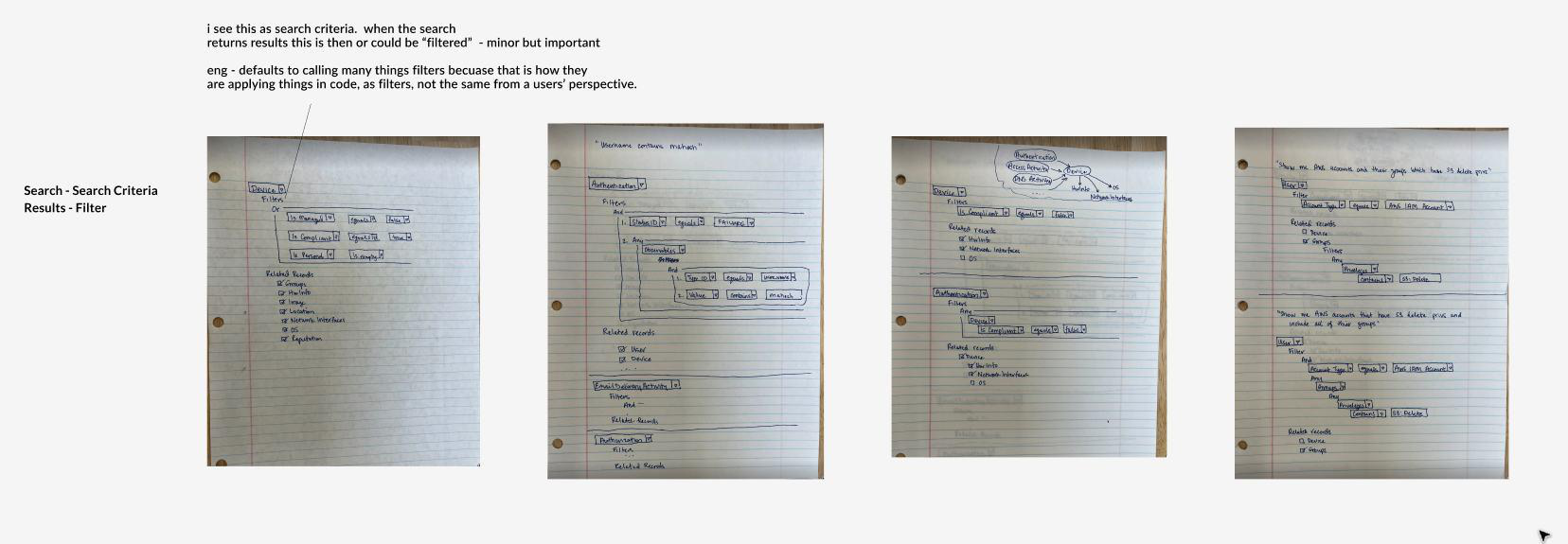
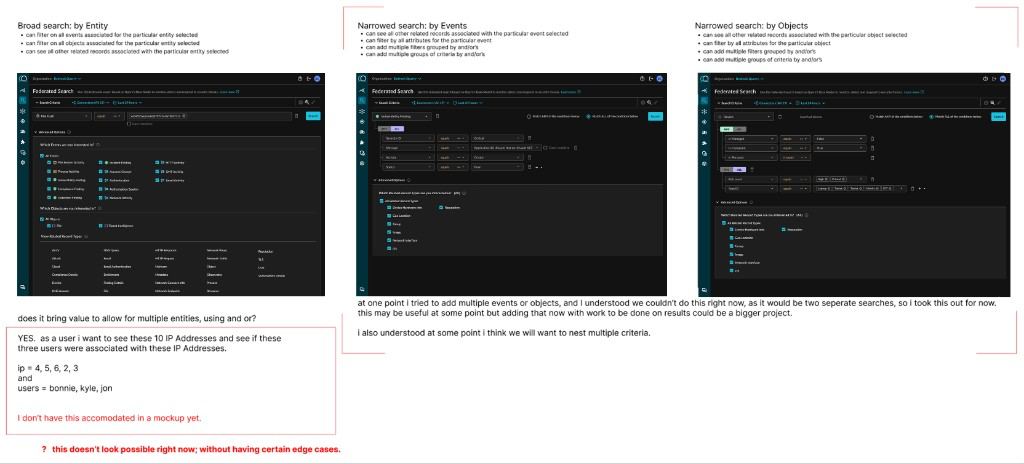
Broad entity search → narrowed by events & objects → multi-condition groups with AND/OR. Every iteration was pressure-tested against real investigation scenarios.
A scope decision
What I cut from v1 — and why
The ask
Combo searches: “show me these 10 IP addresses and whether these 3 users touched them.” Clearly valuable — I validated the need with users.
The reality
Engineering's prototype output was unusable 80% of the time: multiple separate searches stitched together, unresolved edge cases, and a heavy lift ahead — while the daily search experience users would depend on still didn't exist.
The call
Cut multi-entity AND/OR from v1. Ship a great single-entity builder — with advanced options for selecting specific events — and the results experience first; document multi-entity joins and nested criteria as the fast-follow.
Product area 1 · Query Builder/Results
The shipped Query Builder/Results
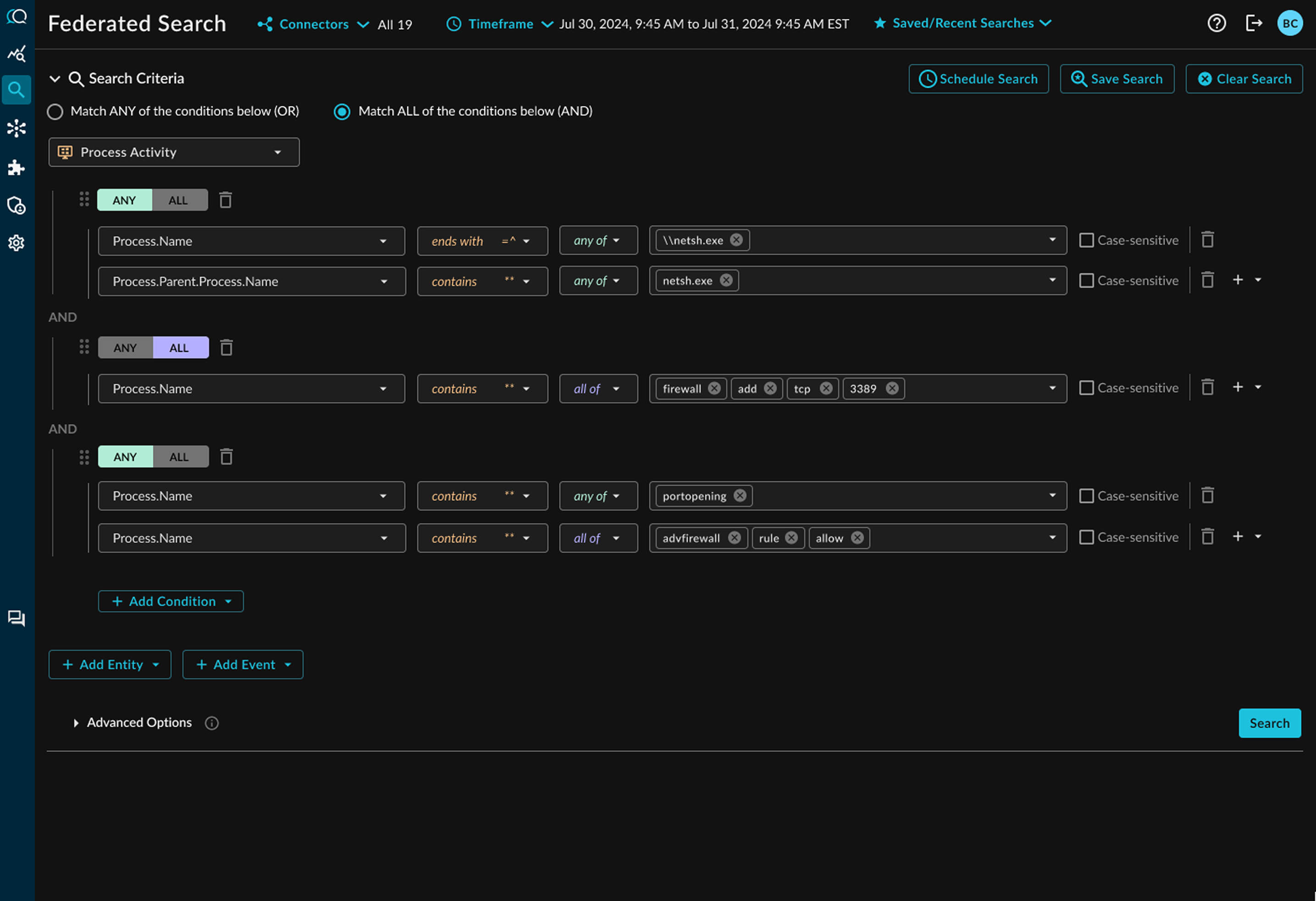
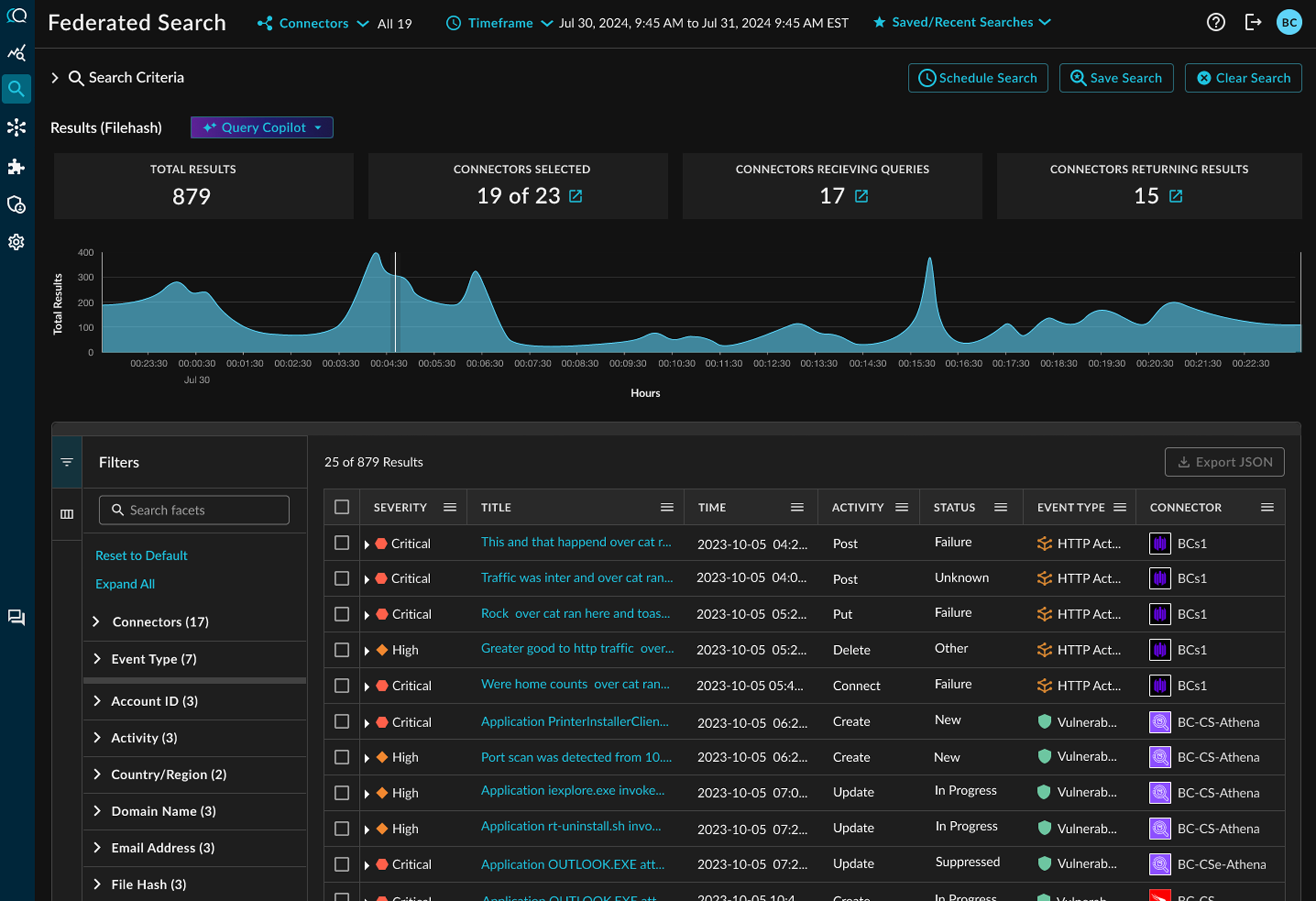
- Guided condition groups with plain-language AND/OR logic — no query language required.
- Scales from one condition to complex nested criteria without changing the mental model.
- Saved and recent searches, connectors, and timeframe kept in one persistent header.
- In testing, users found this version simpler and easier to use than earlier explorations — Results and filtering finally had clear structure.
Product area 2 · Federated Analytics
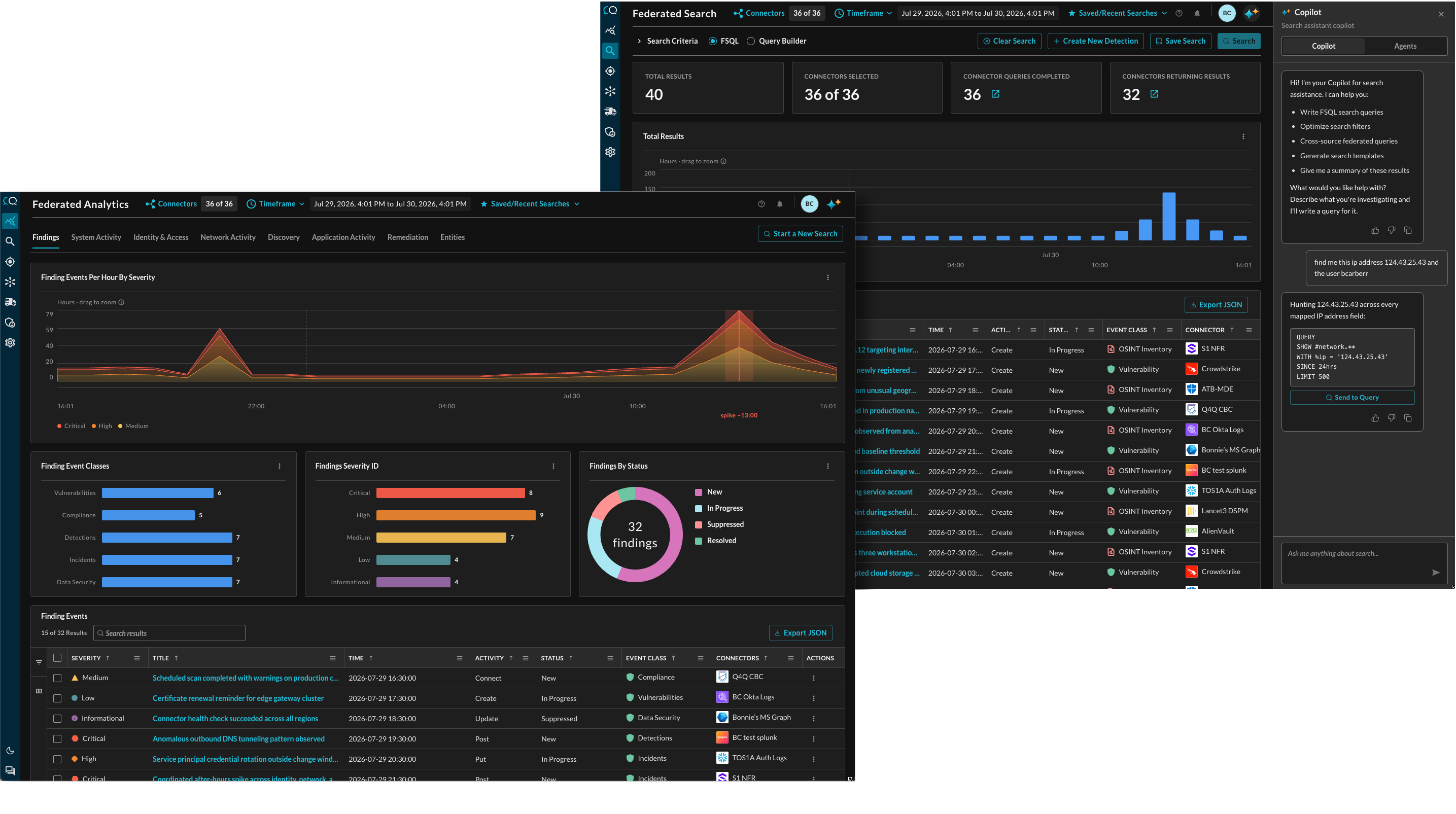
A starting point, not just a search box
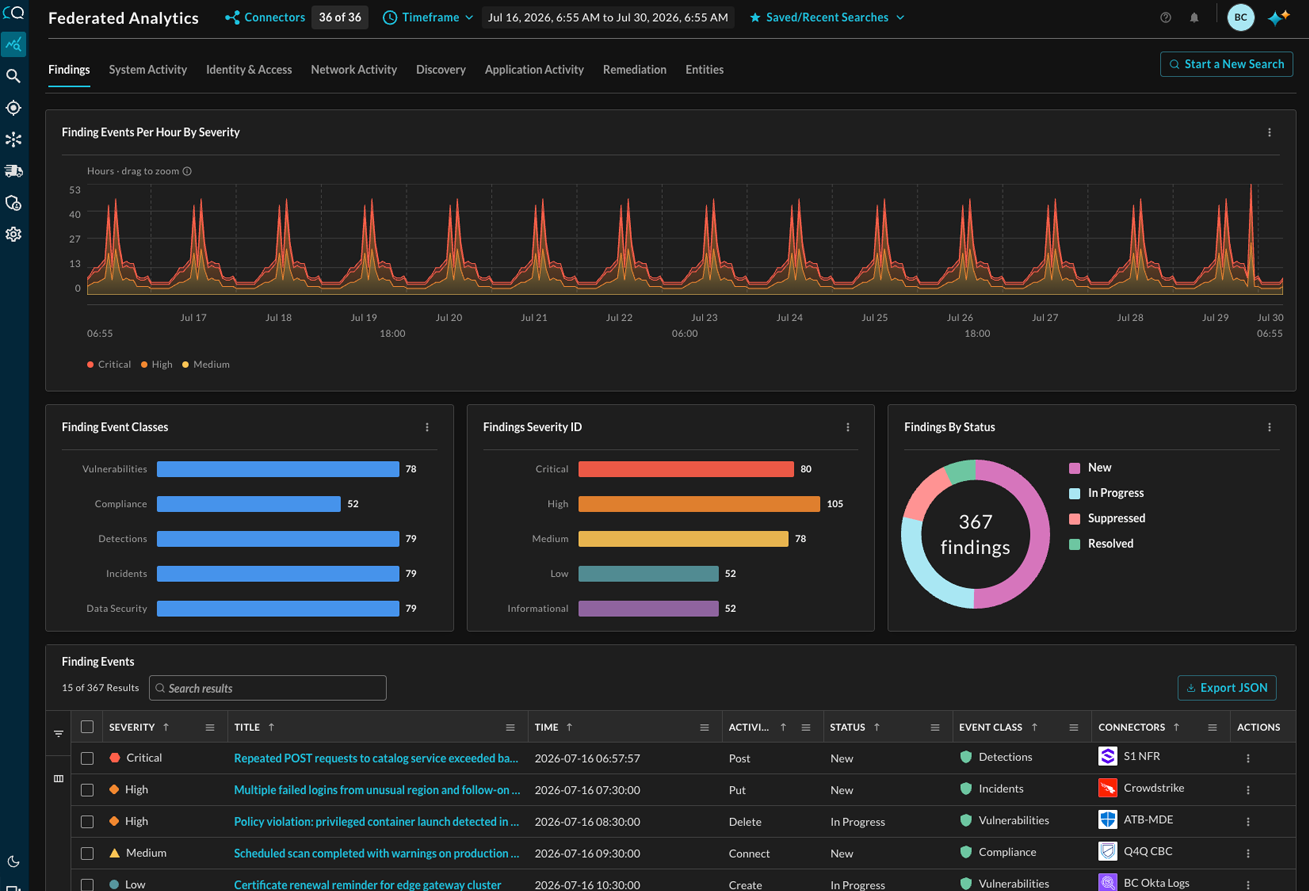
- Search assumed analysts already knew what to ask. Customers told us they needed help figuring out where to start.
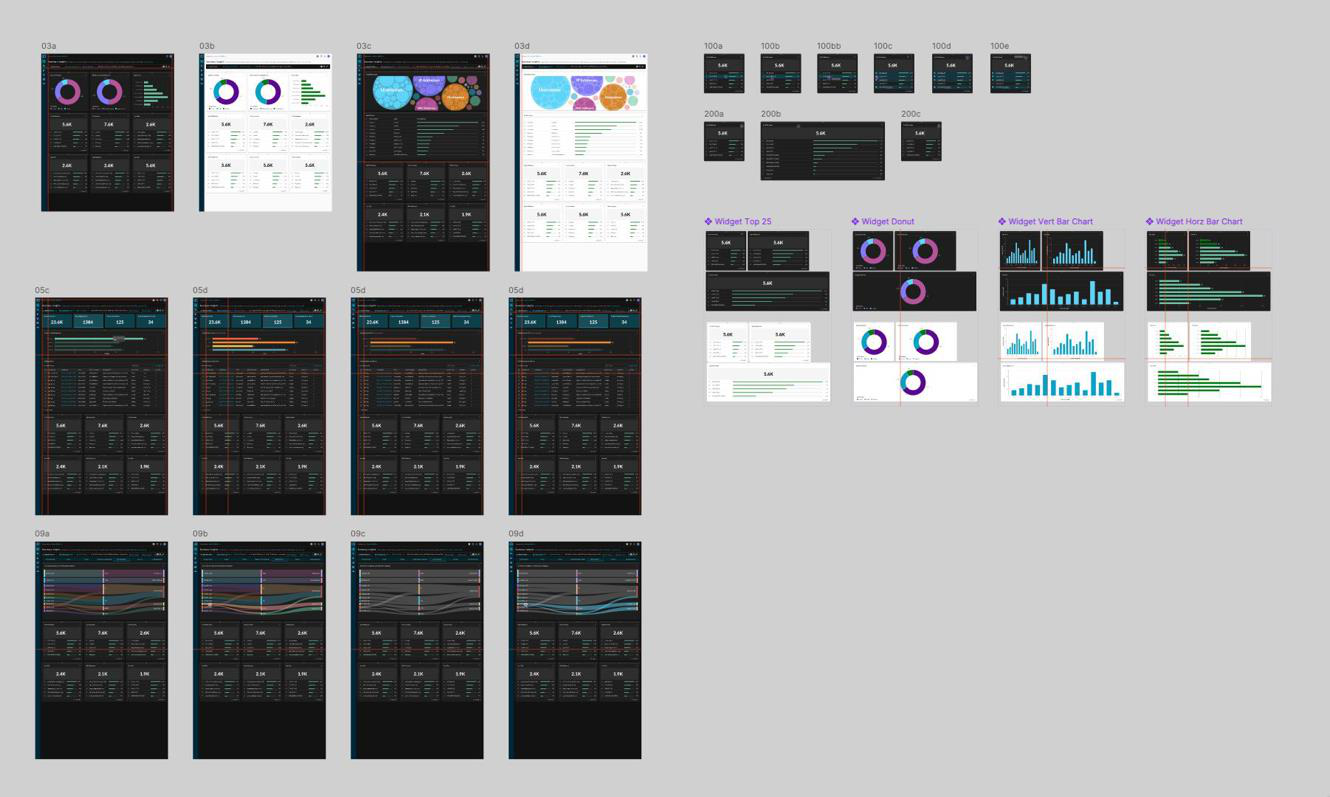
- I designed a library of real-time data visualization widgets and used it as a research instrument — exploring with users what information was actually worth surfacing.
- Landed on: events, impact, and which entities are affected — organized in tabs mirroring our OCSF-based data model.
- Every widget pivots into a scoped search, closing the loop from orientation to investigation.
- Ongoing feedback: the Findings tab is where SOC analysts get the most value.
Product area 3 · Schema Configuration
Unlocking the data lake
Customer conversations surfaced a bigger opportunity: letting teams map their own data lakes into the Query schema — without paying SIEM ingestion costs. That work became its own case study.
Read the connector schema mapping case study →Validation
Evidence it worked
Business
- On pace with 7+ figure pipeline
- ~5 design partners to 12+ enterprise accounts
- Secured a strategic investment from Cisco
Product
- User testing: final builder “simpler and easier to configure”
- Federated Analytics adopted as the analyst starting point; Findings tab most valued
- Design system enabling consistent, faster feature delivery
Reflection
What I’d do differently
- 01
Push for direct customer access sooner
Proxies and design partners worked, but earlier contact with day-to-day analysts would have compressed the discovery loop.
- 02
Instrument design metrics from day one
We validated with revenue; I’d also want baseline task metrics so design impact is measurable on its own terms.