 Bonnie Carberry
Federated Security Platform
Reducing connector setup time from 4+ hoursto less than 15 minutes
Operationalizing a Canonical Schema in a Federated Security Platform.
Business context
The platform & market moment
Query AI enables federated search across the security stack — search data wherever it lives without moving or duplicating it. Early traction hit an inflection point: users needed a simpler way to connect dynamic data sources.
Time reduction
4+ hours to ~15 minutes
12+
Design partners
7+ figure
Pipeline influence
The problem
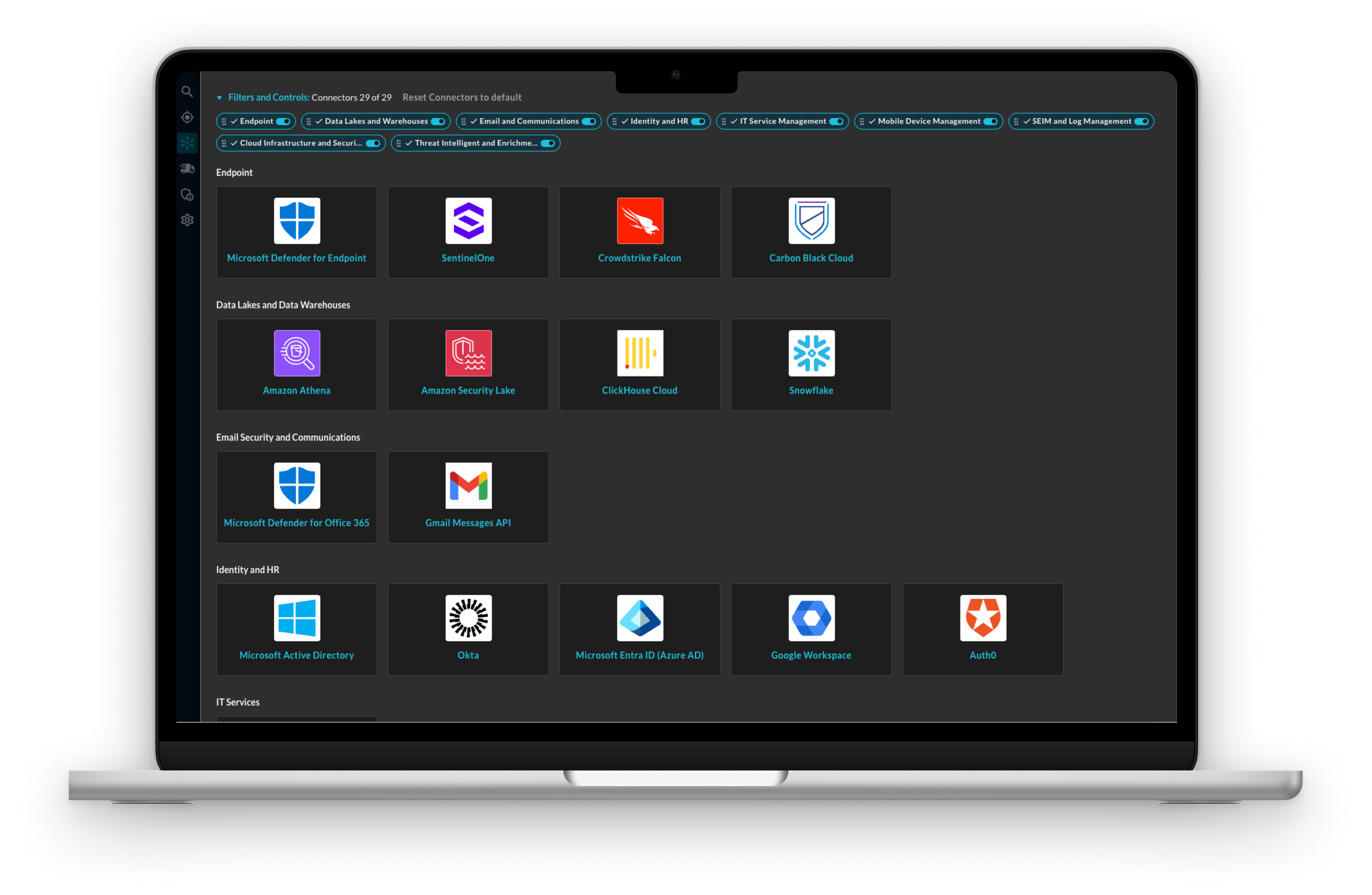
Connector setup blocked critical use cases
Result: 4+ hours to configure a single connector. That killed onboarding momentum and blocked 7+ figure pipeline deals.
Why connectors matter
- Search across diverse sources without duplicating or moving data
- Meet regulatory and auditing requirements
- Investigate past incidents to understand root causes and breach implications
Why it was broken
- Users needed to understand their data and maintain consistency across many connectors
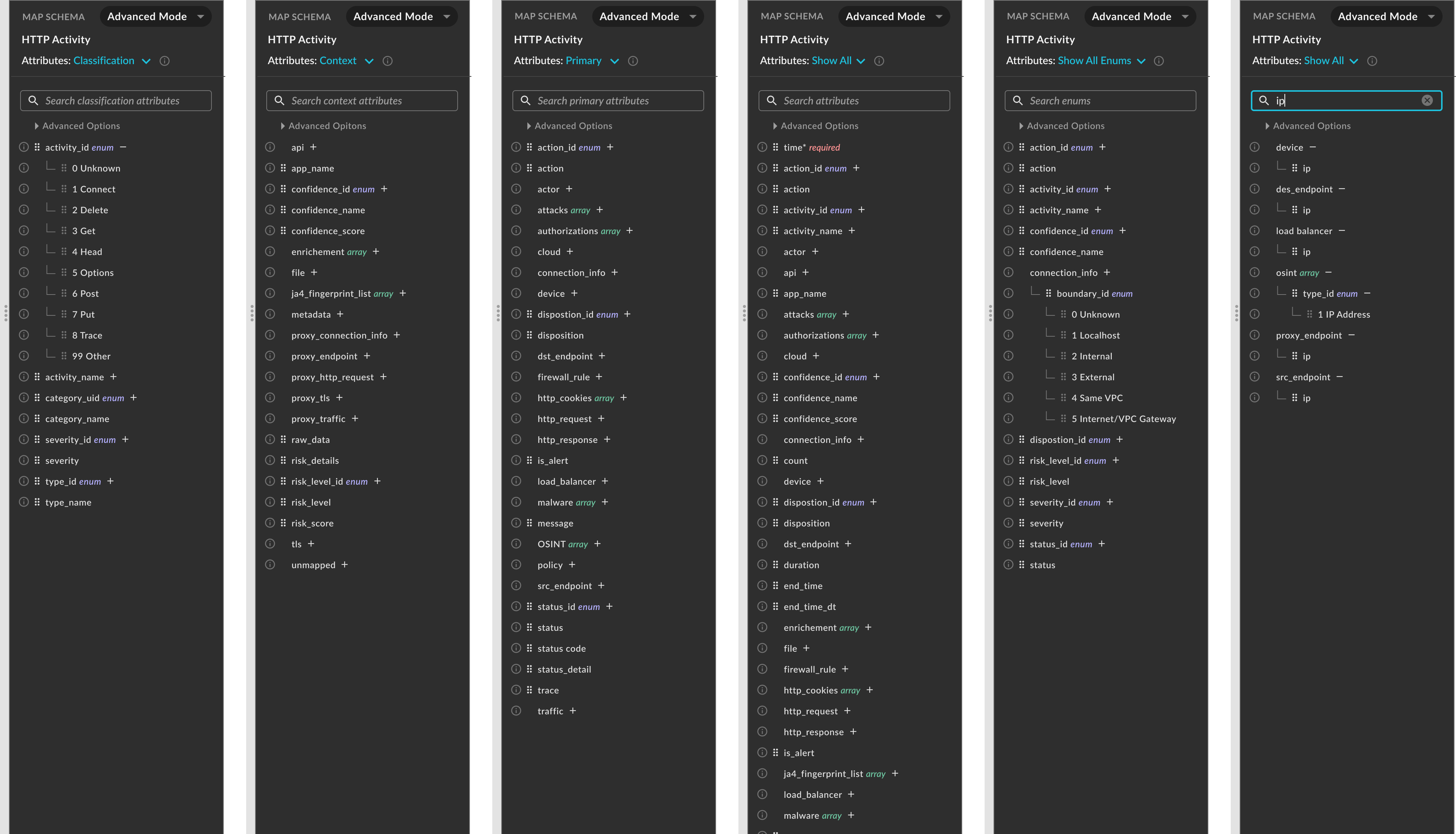
- Faced 160+ fields with endless scrolling and no clear path for non-engineers
- Risk of losing work mid-configuration forced perfection upfront
Primary success metric: time to first successful connector — from 4+ hours to ~15 minutes.
My role
What I led
- End-to-end design of connector setup (research through design system)
- User research & testing with design partners
- Design iterations from v1 accordion to v2 wizard + AI mapping
- Design system creation for product consistency
- Cross-functional collaboration with engineering and product
Constraints
Challenges I navigated
- 01Time pressure to unblock 7+ figure pipeline deals
- 02OCSF framework complexity users couldn’t understand
- 03Scope creep vs. MVP velocity
- 04Data variability — customers organize data differently
- 05Non-technical users — security teams, not data engineers
- 06Risk of data loss — needed persistence / auto-save
User research
Six critical insights
Not data engineers
Security teams don’t understand the OCSF framework.
User data first
Putting our data model on the left was backwards.
Quick start
Users wanted 15 minutes, not 4 hours of perfection.
Cognitive overload
160+ field rows caused endless scrolling.
Data loss risk
Users lost work if disconnected mid-setup.
Variable data org
Customers organize data in different ways.
Design principles
How research shaped the system
User mental models first
Prioritize understanding user expectations and thought process.
Progressive disclosure
Reveal information gradually to avoid overwhelming users.
Reduce cognitive load
Simplify interfaces to minimize mental effort.
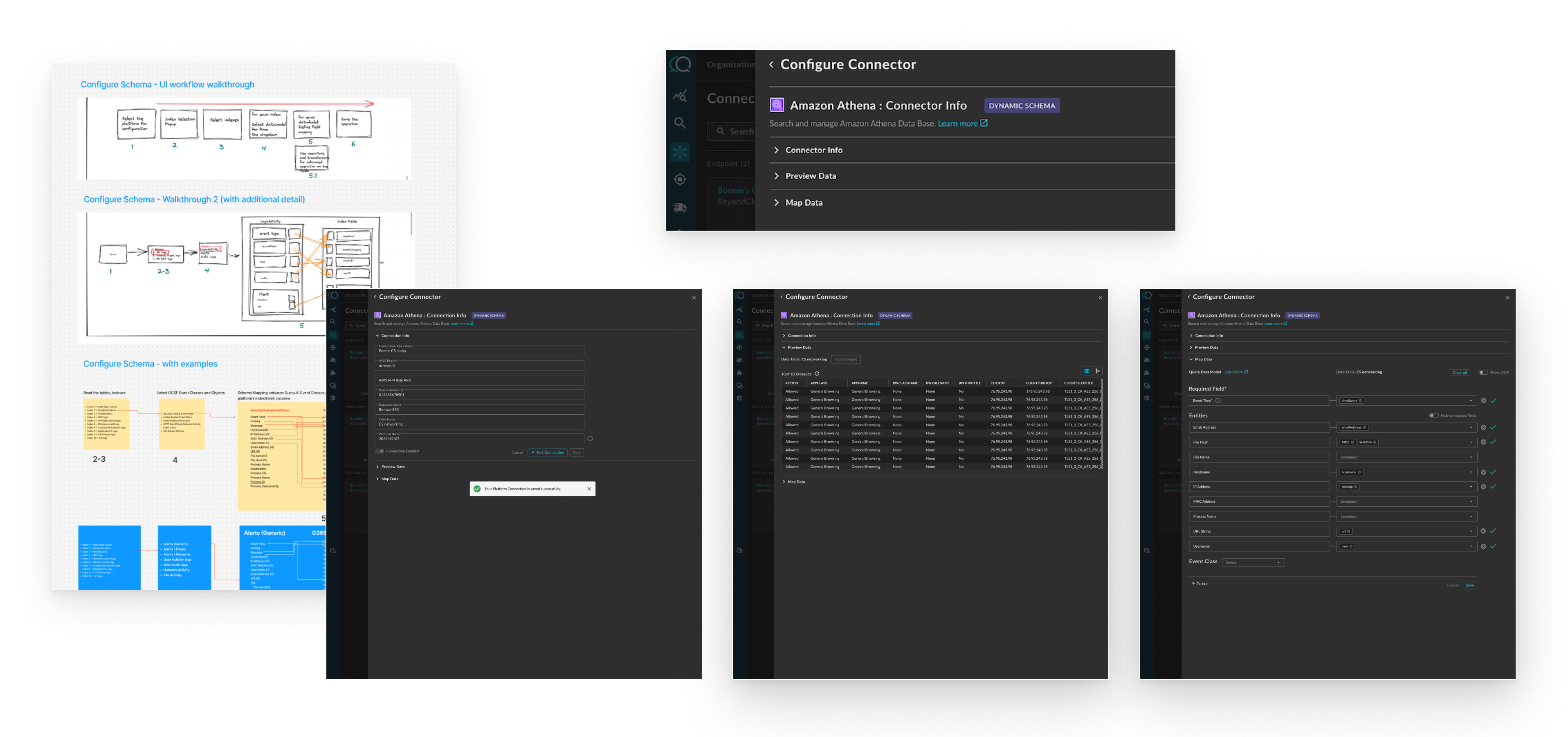
Iteration v1
Rapid validation
Solution v2
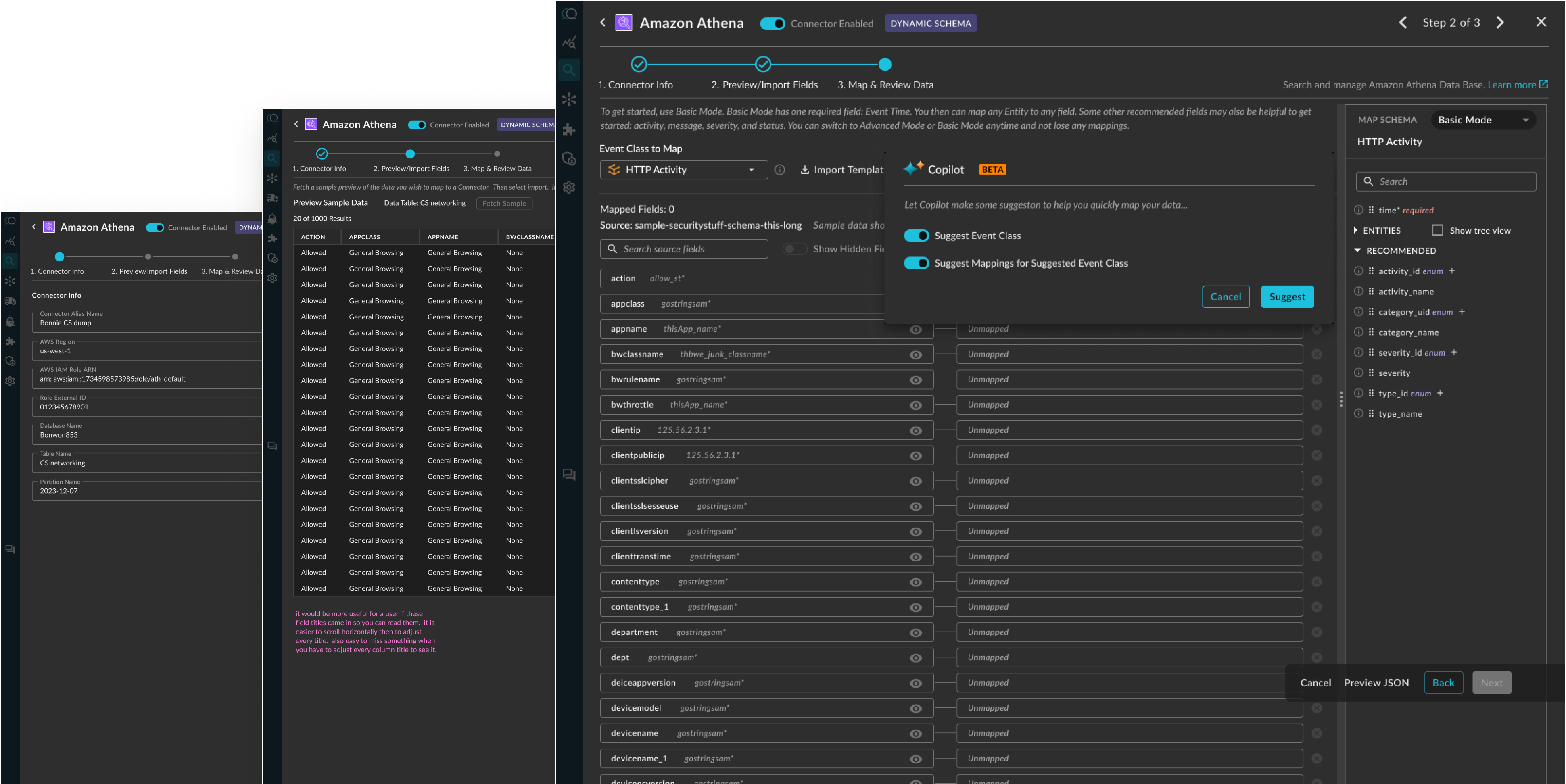
Comprehensive redesign
01
Wizard flow
Sequential steps reduce cognitive load
02
User-first order
Source on left, OCSF on right
03
AI-assisted mapping
Events & mapping fields with constraints
04
Basic / Advanced
Quick start plus power users
05
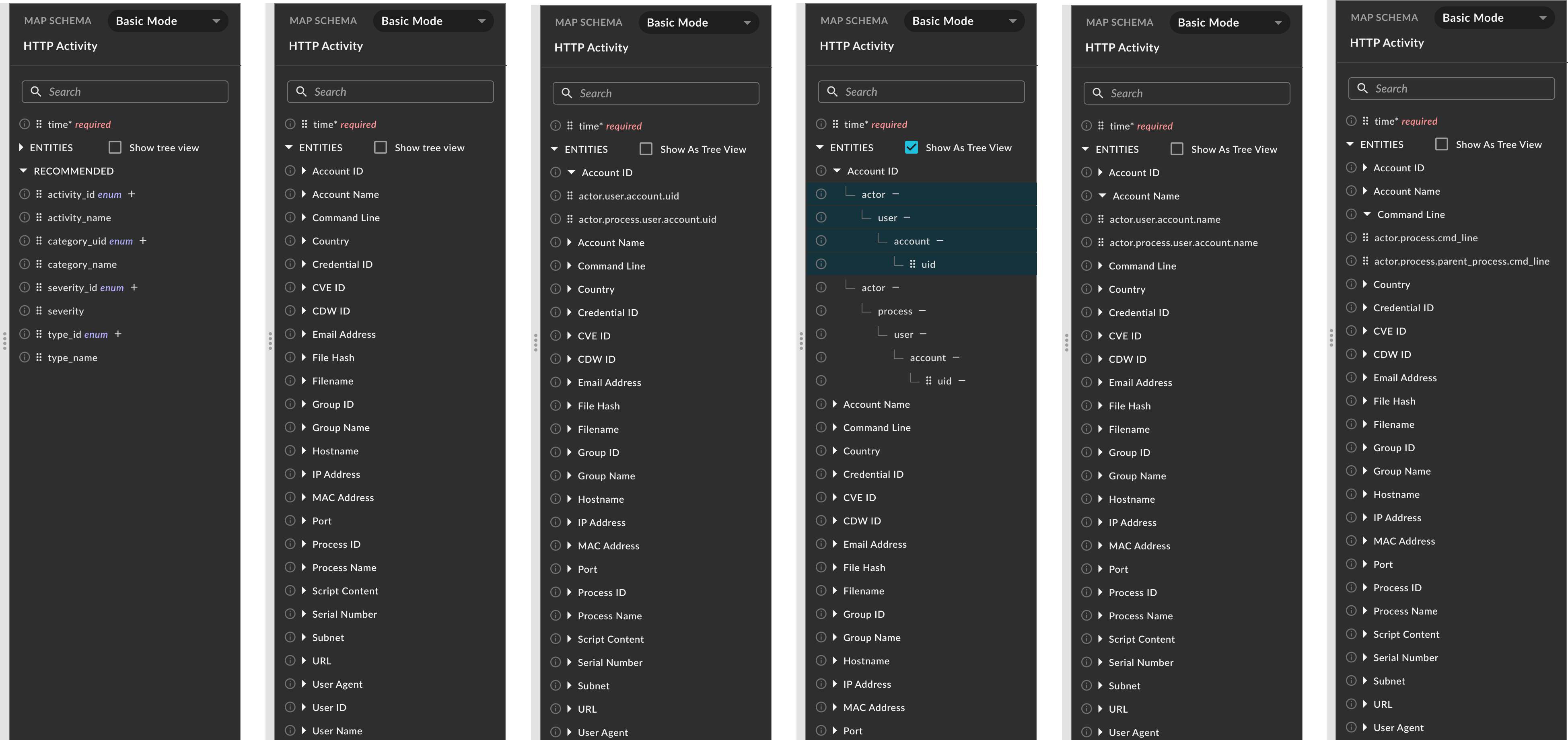
Drag and drop
Intuitive efficiency — phased after MVP
Key design features
Built for focus, speed, and recovery
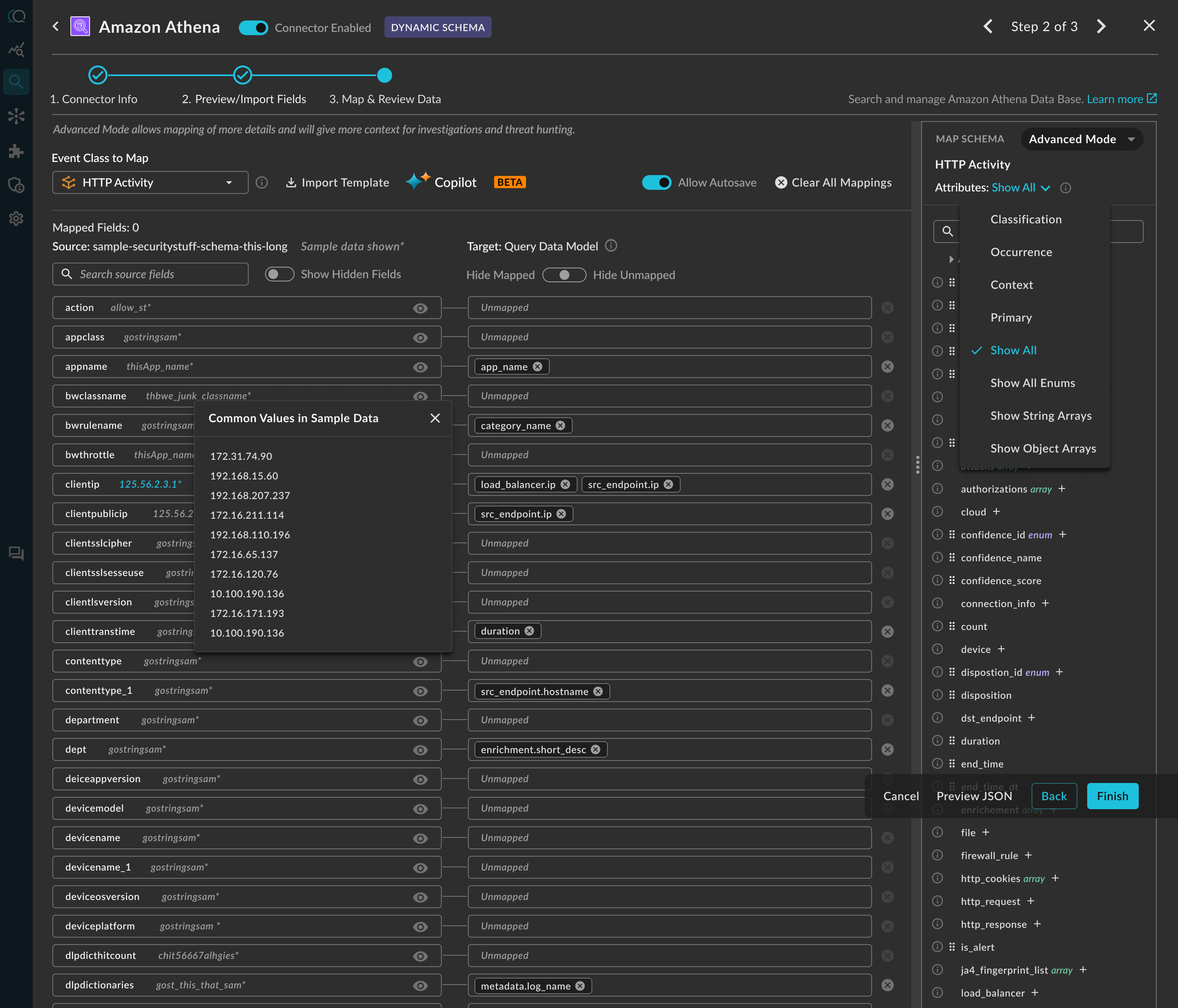
- Show/hide fields for focus
- Attribute filtering by category
- Mapping progress visibility
- Color-coded field types
- Embedded data sample previews
- Auto-save + persistence
Key decisions
Tradeoffs under revenue pressure
Wizard vs. accordion
Chose wizard
Reduces cognitive load for first-time users — critical for adoption velocity.
AI-assisted mapping
Chose to pursue it
Solves the highest-friction manual task of mapping data sources.
Drag-drop timing
Phased later
Dropdown with .dot notation delivered value immediately over a nice-to-have.
Scope of Basic mode
Entities + recommended fields
Lets users start quickly and fine-tune later, while supporting power users.
Outcomes
Measurable impact
80%
Time reduction
4+ hours → ~15 minutes
12+
Design partners
Validating accuracy & adoption
7+ figure
Pipeline impact
Deals unlocked by faster setup
Optimize for time-to-first-success, not completeness — AI as a guided assistant, non-engineers first, reversible decisions.
Reflection
What this says about how I work
Simplify complexity without removing power
160+ fields became a guided flow, but power users could still get to everything underneath.
Make tradeoffs explicit under pressure
Every tradeoff got weighed against the 7+ figure pipeline on the line, not against an abstract best practice.